To play audio from a specific transcript location, double-tap the segment and audio will jump right there.
Transcripts FAQs
Frequently asked questions about transcripts in Metacast.
How are transcripts created?
Transcripts are either generated by AI or provided by podcast creators via the RSS feed.
Learn more in the blog post.
Why is audio out of sync with the transcript for some episodes?
Some podcasts insert personalized ads (the technnical term for this is "dynamic ad insertion") depending on your location and other data. When you listen to an episode, it is possible that your ads were different from the ads served to our transcription server. When this happens, the transcripts can go out of sync with the audio. We detect the mismatch and show a warning.
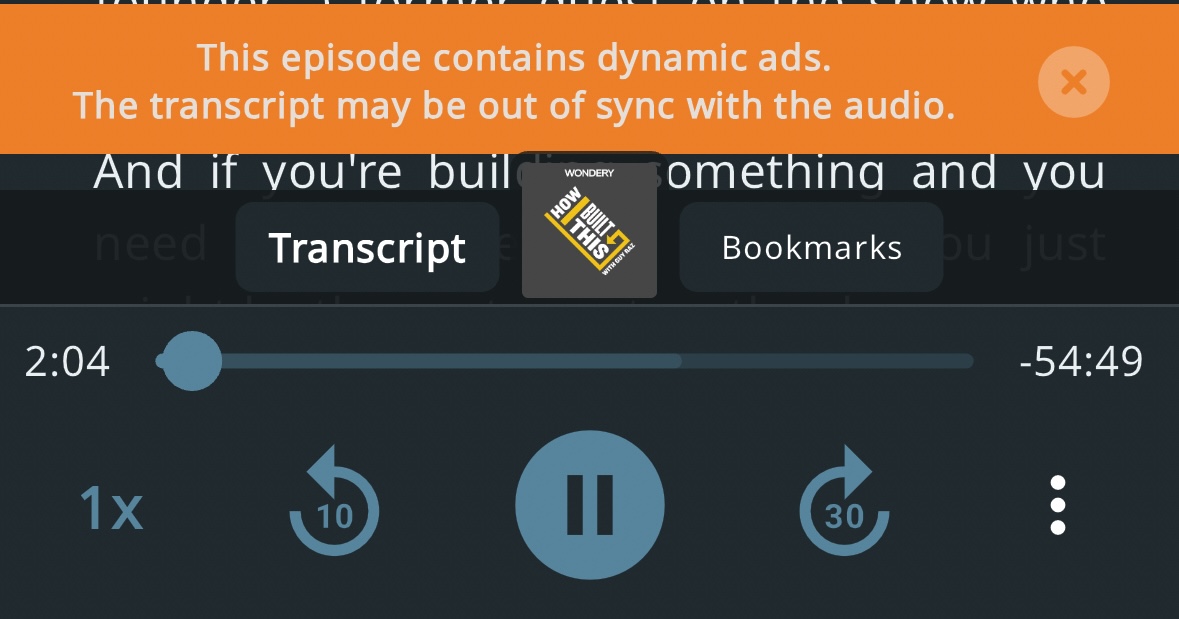
We're working on solving this issue and making sure that the audio and the transcript are always in sync.
I'm a podcast owner. Can I provide you with my own transcripts?
Yes! Before generating a transcript with AI, we first check if a transcript is provided via the podcast:transcript tag in the RSS feed (docs).
Supported transcript formats:
| Format | Mobile | Web |
|---|---|---|
| JSON | ✅ | ✅ |
| WebVTT | ✅ | ✅ |
| SRT | ✅ | ✅ |
| HTML | ❌ | ✅ |
| Plaintext | ❌ | ✅ |
We support transcripts with and without speakers. To display speaker pictures next to the speaker name on the web, the speaker name must match the speaker name in the podcast:person tag in the RSS feed (docs).
If you added a transcript, but don't see it in the Metacast mobile app, go to the episode's page on the web (tap "Share" and copy the episode link in the mobile app). The web page should display the transcript along with the source at the bottom. If the transcript on the web doesn't match the transcript in the Metacast mobile app, please reach out to us at support@metacast.app.
Note: We launched creator-provided transcripts on Oct 8, 2025. If someone listened to your episode prior to this, Metacast will continue to show the AI-generated transcript.
Does creation of transcripts use my phone?
No. The transcript is either downloaded from the podcast's hosting provider or generated on our servers. Your phone's CPU, battery or network are not used to generate the transcript.
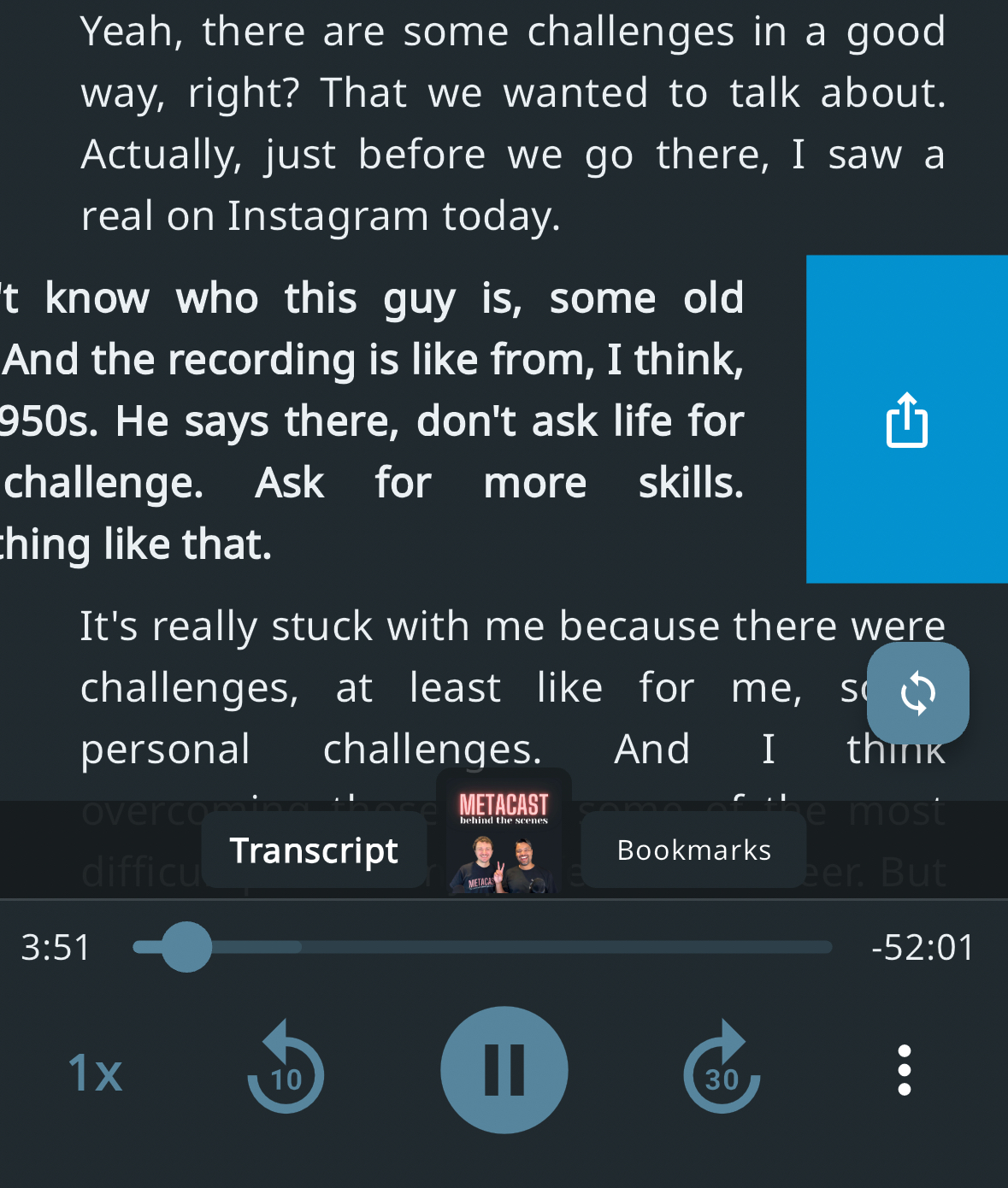
How can I share a quote from an episode?
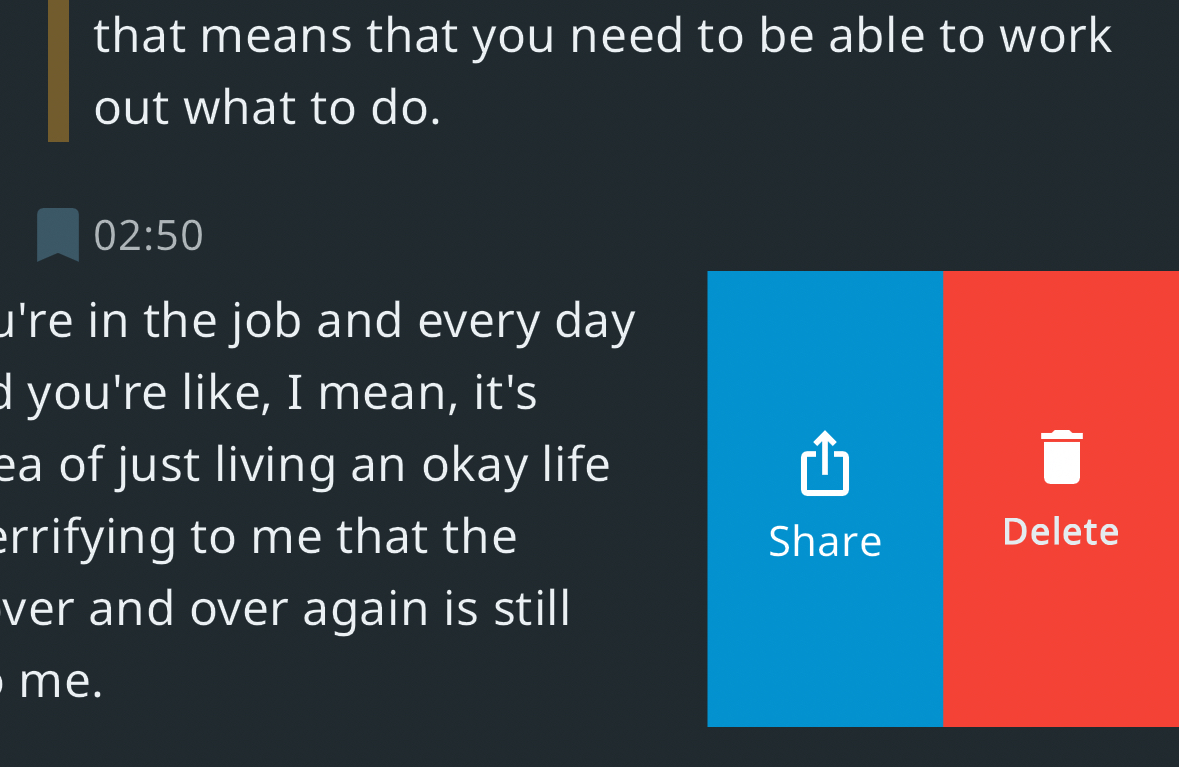
To share a quote, swipe the transcript segment and tap the share icon. Then, you can either copy the segment or share it directly via social media or messenger apps.
Can I copy the entire transcript?
You can copy the entire transcript by tapping the Export Transcript button on the episode information screen on iOS or Android. You'll be able to copy it to the clipboard or save it into a file. The transcript will be exported in the Markdown format along with chapter titles, speaker names (if available), timestamps, and your bookmarks. You can also see the full transcript on the web. Learn more on the podcast transcripts feature page.
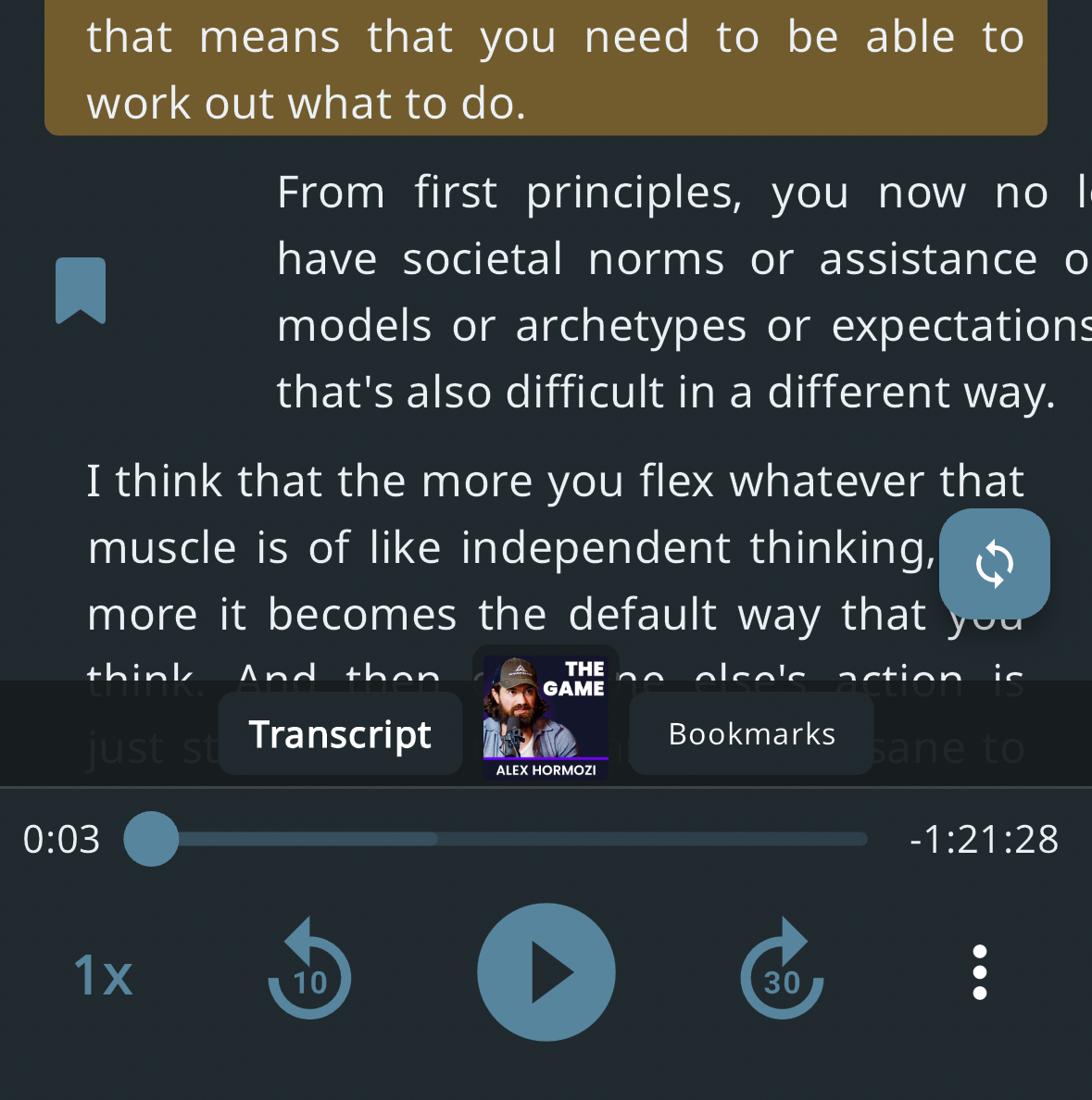
How can I bookmark an interesting part of the episode?
In the player, swipe the segment left-to-right to save a bookmark.
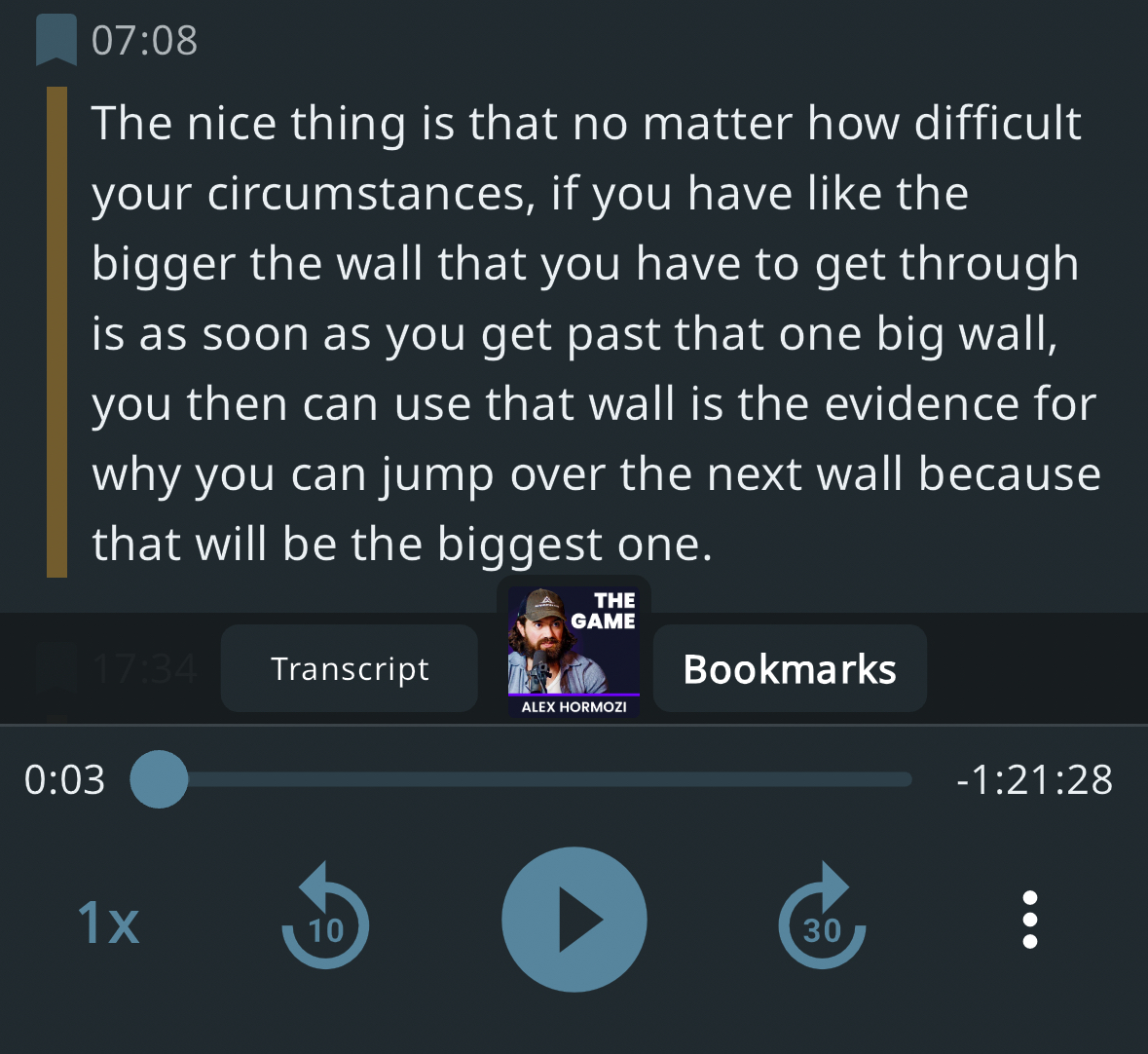
Where can I see my bookmarks?
In the player, tap the "Bookmarks" tab to see the bookmarks you've saved for the episode. We're working on the feature to display all your bookmarks in one place.
How can I delete a bookmark?
Remember - in Metacast, everything is a swipe. Just swipe a bookmarked segment un-bookmark it or swipe it right-to-left in the Bookmarks screen and choose "Delete".
Why do some episodes not have transcripts?
Sometimes, transcript generation fails for technical reasons, and you may see an error message instead of a transcript. If you experience an issue like this, please reach out to us via support@metacast.app.
Why is the transcript blurred?
Free users see only 10% of the transcript (which is usually between 5 and 10 minutes of the episode). The rest of the transcript is blurred. To see the full transcript, sign up for Metacast Premium.