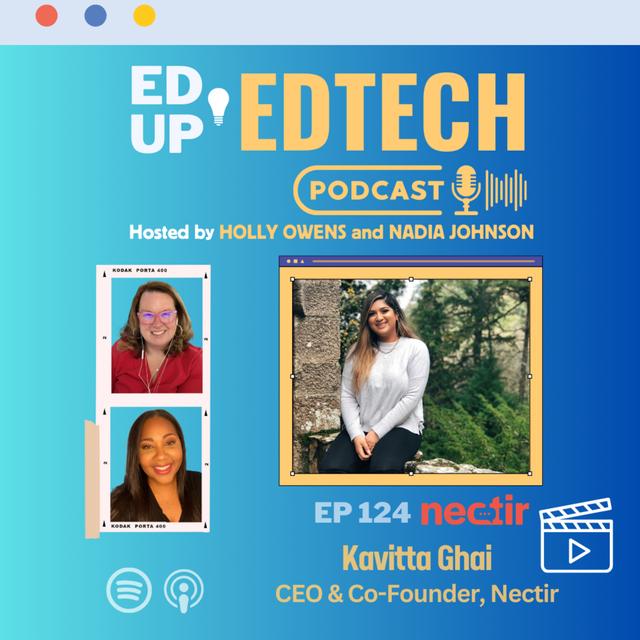



Hello everyone and welcome to Ed Up Ed Tech and Demos. We are super pumped for this afternoon session. We have a great thing about to happen and I'm really excited for all of you and myself to see this demo. So we have Kavita and from Nectar, she's the CEO and Founder and she has a friend with her, Vicki as well, who she's going to introduce and we're super pumped today to share this tool with you. It is one that I just recently ran into, you know, and I'm excited to learn more about it.
So I'm gonna turn it over and you can take it away. Awesome. Thank you so much, Holly. Thank you everyone for joining us. My name is Kavita. I am the cofounder and CEO here at Nectar and here with me today I have. Vicki, our director. Of community she manages. All of our active schools. And has a depth of experience working in the resident departments at UC Santa Barbara.
And so she's going to help me out today with once we go through the demo, actually getting all of you guys into our nectar sandbox so you can try it out. So I'm going to go ahead and start. Off with the story. Of Nectar. I think that the founder fit here and why we actually built this as students ourselves is one of the most important parts
of the product. And when we do our onboarding for schools and we go through our training workshops, we always let the instructors know to tell your students that this was built by students who experienced the exact same problems that they did. And we're really building this in order to help them get the educational experience that. We felt we deserved, so to take. It back to the beginning. Nectar was never supposed to be a company.
It was simply something that my Co founder Jordan and I made while we were undergrad students at UC Santa. Barbara because. We needed it in our own classes and we couldn't find it. So for me coming into this, I am autistic and I have ADHD, so no classroom that I've ever been in before has felt comfortable or safe for my brain to be in. And then I got to college and I started paying $40,000 to be
really uncomfortable. And that's when it became enough of a pain point for me. That I said, OK, I've either got a drop out or I've got. To do something about it, but I had no idea what that something was until I took a class that showed me what a modern education could really look like. So the summer between my sophomore and junior year, I ended up taking a class that was taught by a grad student instructor.
So he was a little bit younger and more tech savvy, but most importantly he was a student himself. So similar to us creating nectar, he understood the problems that students were having and wanted to solve for that upfront. So we walk in on the first day of class and Spencer sits us down and before.
He says a word. He turns around and he writes the link to a Slack workspace on the board and he turns back to us and he says we're going to do this Class A little differently and I need you to trust me, he said. I don't want you to raise your hand in class. I don't want you to send me or the TAA single e-mail. I don't even want you to come into office hours, he said. If you have any issues, and then whether it's in the middle.
Of lecture or it's? 3:00 in the morning before the midterm, your first line of action is going to be to put your question in the Slack chat, because I guarantee that one of the 149 people around you will have a better and faster answer for you than you or the TA will. And he said on top of that, if you answer someone's question really well. I'll give you extra credit for it.
Because that lets me know that you understand the material so well, you can then turn around and teach to the person next to you. Which is actually the highest. Level of mastery that you can achieve. And he said, even beyond that, this is my instant feedback loop into your brain. So based on how you're asking and answering each other's questions, I as the teacher will know whether I've done a good job at teaching you that concept. It was the first class I've
ever. Taken where I didn't have to speak up and say I didn't understand something, Spencer would immediately catch it in the conversation. And if I still did need help, I always had the answer accessible to me within 5 minutes. I wasn't waiting two days to get a response. I had somebody there that could always answer it in a language that I would understand. And every time someone did answer a question, it was an opportunity to make a new friend.
So what Spencer did was almost bring this Trojan horse into class, where he put community at the center of the learning experience and incentivized us to learn with the thing that we were most excited about in college, which was making friends and building our network in our community in order. To be part of that. Classroom community. You had to understand the material enough that you could engage with the students around you and answer their questions. I left that class with the highest.
Grade that I got in college and more friends than I had ever made before, and I was like a dog with a bone. I said that was it. Put Slack in all of my classes and it solves our issues. So I approached UCSB and I said somebody explained to me, if me and 26,000 other people are paying you $40,000 a year, why can't you put Slack in all of our? Classes. And UCSB was kind enough to sit me down with their instructional design department and walk me through.
The logistical hell of. Putting a separate Slack workspace in 1500. Classes every quarter. Teaching professors who are on average. 55 How to? Use an enterprise level tool and then paying an enterprise level cost for 26,000 students. Every year, they said. It sounds good in theory, and maybe you have one or two instructors. Use the free. Version the way that you just saw. But this will never work across an entire campus because Slack
isn't built for schools. And I think in that moment you could see a. Literal light bulb appear. Above my head. Because, I said. Well, if Slack isn't built for schools, then I'm going to go. Build it. I will spare you the bloody gory details, but. Jordan, my Co founder and I spent the next year in that same office with UCS BS instructional Design department and said. Tell us exactly what you would buy. What would SLAC have to do? In order. For you to be able.
To bring this to the entire campus down to how much should it cost and how should it integrate with the LMS, and we built exactly that and a year. Later we got. All 26,000 students at UCSB using Nectar in almost every single one of their classes, with the instructors being the champion of it. And we got. UCSB to pay us five figures a year for it. So we got our tuition back, which was awesome.
After that, we went on to raise $2,000,000 to build out the team and we've now been able to put Nectar in over 40 campuses around the world, both K12 and higher Ed. So we are really excited. To not only have been able to solve. That issue for ourselves. While we were in school and for all of our peers. But now to. Be able to go deliver. This modern learning experience to students around the world. Because we really do believe that this is what the classroom
of the future will look like. It will look like. Students teaching each other and learning how to be part of a community and finding the answers amongst themselves so that they can take agency over their own learning experience. And we've seen some. Incredible results so far so. I'm going to go. Through these slides pretty quickly. Because I know we want to see the actual product itself and jump into it, but really what I want to share. With you is the fact that.
What we're doing here is we're on a mission to democratize access to educational resources. Sounds fluffy, but what that really means is every student should have the accessibility in every classroom to get the information they need right away. The modern classroom. Should be a place where. Students feel. Safe. To be themselves around each other and their instructor in TA.
So we're really trying to put everyone on the same level so that you can have these candid conversations about the material and that's where you see that authentic engagement start to happen as a student. Myself, I felt like I. Was being given all of these tools like the LMS forum that were outdated and felt like they weren't really made for me to learn, but rather for me to just get participation points but when you meet students? Where they are with.
Technology, they actually understand. That is when you start to see that authentic engagement and So what nectar. Allows you to do is. Create an AI enabled classroom back channel that integrates directly with your LMS and so I'm sure. You've heard of the LTI? Integration we. Actually take that a step. Further and we integrate Nectar and I frame it right within your LMS so that you don't have to
pop out to a different window. It's one seamless experience right inside of your class page and it'll auto create a channel for every class on campus and then auto add your students, your TA, and your instructor into it. Because we want to remove that human onboarding aspect completely, we should automatically be able to onboard an entire campus at once if we want to, or even just start department by department or. Class by class, so we've.
Built it to be incredibly customizable to any campus of any size and again I give. All of the credit to. UCSB for teaching us. Exactly what to build that other edtech tools? Haven't been able to accomplish and that's why we've been able to see the engagement be so high. So this should give. You a quick idea of. What Nectar looks like really what we're trying to do is take aspects like Slack and Discord tools that students and. Teachers are already used to.
Using and bring that into the classroom so that they intuitively know how to use it and you don't have that huge learning curve of what am I supposed to be doing. Here for most students. They already have unofficial group. Chats outside of the classroom. That they're using but when you look. At research, it shows. That back channel technology only becomes a pedagogical tool once the instructor is present in those spaces. That is how you.
See consistent engagement all the way through the term. Otherwise, the conversation, usually. Drops off. And so, like I said, what Nectar truly is, is a back channel, and that is a conversation that happens alongside the primary instruction, so as a. Teacher, you get to decide. Whether nectar is used after hours when students get home, and that's when they're asking questions to each other. Or if this is a tool that helps you do. Synchronous discussion during lecture. Itself, so that.
You don't have this turn taking issue and everyone can actually put their opinion in at once. So it's really up to you how. You want to set up your classroom community and you really want to give that agency or to your students by letting them know. Here's how I plan for us to build this community, and here's how I want you to participate in it. And I think the most exciting part, and what people have really wanted to know for a
while, is about SOMA. So eight months ago we released Soma. She is our AI teaching assistant and everyone's favorite feature within Nectar. Essentially what we want it to. Do is allow you? In a FERPA and COPPA compliant way to bring in technology like ChatGPT into the classroom but ensure. That you have visibility over how your. Students are using AI and the content that the. AI is able to. Give back to your students.
So we did. About 1000 user interviews before we even started building SOMA and we asked teachers from around the world. What? Scares you the most about AI and if you had a magic wand, what would you never want to do again in the classroom? And what we heard from them was I'm so scared that my students are going to go to ChatGPT and get information that isn't correct and I won't know and I won't be able to correct it in time. And then once it's in their
brain, it's there for good. And the other part of if you had a magic wand and you never had to do something again, they said. I want to stop answering the same questions that are on the. Syllabus. A dozen. Times in my e-mail inbox.
I wish that students knew how to go find that information in the syllabus themselves, and so those are the exact things that we fixed with Soma. She is an AI teaching assistant that sits inside of every Nectar class channel and the teacher can toggle her on or off at any time they choose and then the teacher decides which information they upload to Soma. Such as the syllabus. Or their lecture materials. And that will set the parameters for what soma is able to answer
for the students in that class. So if you have not uploaded a document about the material, soma cannot answer it for the students. She will not be pulling that information from GPT. 4. And giving them any random old answer. And on top of that, every answer that Soma gives is tracked. It can be seen by the instructor and on top of that it. Shows you the source of. Where that information came from, So it'll actually link your students. Directly to the syllabus.
Or the lecture material that that piece of information is coming from. So we'll show you how to use. This and we'll give you an opportunity to test out Soma yourself and even create your own channel and upload your own information to Soma, which again completely FERPA and COPPA compliant. We're keeping your proprietary information safe. We don't even get to see it on our end. So you have no worries about using it within your class with your proprietary information.
So I think one of the most exciting parts is that we have finally been able. To see the pedagogical effects. Of Nectar on a campus, We knew that this was going to affect the student's sense of belonging and give them a place to authentically engage. But that is. Already translated into us being able to see that in classes that use nectar we're able to increase. The class average. By an entire letter grade. It's incredible to see that happen.
And really when you ask and survey the students on why is this happening, it's because the information they need is accessible to them right when they need it. They're not waiting for an e-mail response from the TA or the instructor. They're able to go find that information themselves and continue their learning journey on their own. So again, it's giving them that agency over their learning experience and So what we found for best practices from the over. 45. 1000 users that we
have on actor to date. Is that the real recipe for? Building your classroom community involves these three main components. It's building that trust in relationships amongst the students in your class and with the instructor and TA as well, and then putting everyone in this collaborative environment where they know we are going to learn together. It's our collective responsibility to make sure everyone gets to the finish line, and that's really where you see a boost in that, in
course persistence. So once students feel like they are part of the community, they actually want to show up every single day because they know they have a role in that community and that people will notice if they're not present the last. Part is the shared. Values and norms. I think this is the most important aspect of building any community. It's sort of setting the guidelines in the structure for how are we going to use this community. So again, we tell instructors on day one, you.
Get to decide exactly how. You want your students to use this space, and you want to relay that to them. Right, here is exactly how. We are going to use nectar. Doesn't matter if you use it differently in another class. In this class I want you to not use it during lecture. You're only going to use. It after hours. Or some instructors say here's where I'm going to do my. Office hours, I actually. Do want you to only come talk to
me on here and not in person. So very customizable to what your campus and your classroom looks like. And again, we've seen an incredible response from the. Teachers, the staff, the. Admin and the students that have been using this at over 40 campuses around the nation and. Also like I said before. We're seeing this in both K12 and higher Ed, so the youngest students that we have using nectar. Today are 8 years old. And it's awesome because they actually know how to use nectar
better than anyone else does. These are iPad babies Who? Have been using discord and tools. Like that for years. So they get in there and they take off with it and it's. Really, really cool to see. Because what we're doing with nectar is also teaching them these. Career skills that. They're going to need to take with them into the. Workforce. Right. They're going to use tools like Slack and Teens, and we want them to experience that early on so that they know and they're.
Prepared for How do I have a virtual? Team where? We work together to solve. These questions and these problems together, so I'm finally at the end of the slides. I promise we'll jump right into nectar. I just want to save this screen really quick and I'll also. Have Vicki upload? It to the channel for everyone. But if you'd like to see a. Live demo. Talk about how this might fit into your. School. Or even just brainstorm with me. How do I bring AI safely into my classroom or campus?
I would love to meet with you. Please send me an e-mail book some time on my calendar. We are always here for you to help you set this. Up on your campus, because we know how difficult it is to introduce new technology to a campus. So I'm going to go ahead and out of this screen now and take you into nectar. I just want to pop in here and say that I really love your story. Thank you.
And what you've done with this and the evolution and also too I want to say in the video that the LinkedIn live had some technical difficulties. So we're going to have a revamp of Nectar in the coming weeks cuz LinkedIn wouldn't go live, so a lot of people might be jumping into the Riverside or just to let you know to ask questions. Gotcha. But yeah, I really love this story and this is great that you're sharing.
Thank you. This tool and everything that you've done this is. This is why we have this podcast, so thank you. Now thank you Holly for giving us this platform to. Do this because you're. Exactly right. I think that if we want to see real innovation happen with an education, it has to be from the people who are experiencing that problem themselves, right? We innately know how we need to solve that and I think the.
Key here is that rather. Than just building this for students or just for instructors. We really sat down with UCSB and said how do we make sure that Nectar has an equal value proposition for the student the. TA. The teacher, The staff. And the administrator We want everyone to be able to be part of this campus community. And really, the whole purpose of Nectar is to build a network across the entire campus. So now that we're in the tool. Itself, I think one of the key
factors. Of you know how is this different than something like Slack? Where slack is a separate workspace. That you would put in every single class. Nectar is 1 workspace for the entire campus and each class is going to be a channel. Like you see right here. On the left hand side and so I'll actually show you this is nectar in just the web app and you can always download. The desktop. Or the mobile app. But where we see. 79% of our usage happen is right here
inside of the LMS. So like I said Nectar, we wanted it to be no human onboarding whatsoever and So what that means is once it's integrated with your LMS via LTI, it can auto create your class channel for you. All the teacher has to. Do is come and press that nectar button on the left hand side. We're showing canvas right now, but it works with any LMS at all.
And what? Will happen is it'll automatically create a channel for that course and it'll Add all the students from the registration. Of that course page. And it refreshes every 24 hours. So if you have students add or drop the class, it'll constantly refresh that registration for you.
And So what we wanted to do was not just have that registration be done so that we could auto create the channels, but actually embed it right inside of the LMS so that students and teachers didn't have to pop out to a new window in order to use nectar. They could do it. Right inside of the LMS where they already were and that's really why we see the engagement be so high. Because it's incredibly easy for.
Students to use it. And then like I said, they can always download the Nectar mobile app and that's how they're getting their notifications delivered to them where they are right now. So we hear this a lot of. Students aren't opening their e-mail. I can't get the messages to them and that's exactly what Nectar is for. It's meeting them where they are with technology that is very similar to the social.
Tools that they're already. Using today and so you can see once we're inside of an actor channel, it's pretty intuitive and. Simple to figure out exactly how to use it. So on your left hand side, you're going to have your navigation for all of the channels that you're in. So you can see I even have this private faculty channel, so you can have channels that are. Just for staff, just for faculty. And all of the channels within your campus. Workspace will be available right?
Here on the Discover page. And so here's where. You'll be able to see. All of the channels that. Have been made on campus. I can see even. The private ones that I'm. Part of but this is where you'll see all. Of the publicly. Made channels. So one of my favorite ones is during the pandemic. We had a school. Create a Pandemic Book Club. Channel. And so they invited. Staff faculty. Students to join. There was over 500 people.
It was awesome. And every week they would pick a new book and people would just go into the channel and chat about it and it created this incredible community across the campus. So really, what Nectar is? For is wherever those. Spaces can't exist outside of the LMS, or you don't have a virtual community for them, such as all of the majors on campus or the dorms. You can have all of that information and communication flow through Nectar and it also has.
The ability for direct messages like you see here. So if I want it to contact my instructor or my advisor, anyone on campus. Again, all of my classroom and campus communication can flow right through Nectar, and so now we'll. Show you right up here. Soma. So as the instructor, as the owner of the channel, I'm the only one who's going to be able to see these two icons right here, Soma and our analytics page. So SOMA can be added to the room
or turned off at any time. And this is where I'll go ahead and upload any files. And so I'm actually going to add another file. I'm going to go ahead and put in my Python loops lecture and you'll see it'll go from not trained in about 10 seconds. It'll train Soma on that information and now I've expanded her knowledge base and so she has a little bit more information that she can share
with my students. So while this is getting trained, Vicki, if you don't mind putting in the chat the actual link to join this space, so. We will get all. Of you guys in the actual nectar sandbox, you can test. This out with us. And go ahead and save that. I'll put it in, I'll put it in the other chat. Perfect. Thank you so much. And then what I'm going to do is I can come down here and I'm going to tag soma. You can even just type at soma like that and I'm going to ask
her. What? Are Python loops and how are they used in the second assignment? And you can see Soma starts typing and she's parsing that information to be able to give my students a quick answer. And once that pops up, we'll go ahead and show you. And so again once you get into this. Space feel free to tag. Soma to go ahead and respond to the. Poll right here. You can even send a GIF down here. So I'm gonna say hi, There we go. And I'm gonna throw that GIF
right in here. All right, let me see. Are we getting some people in here? All right, let's wait and get everyone in there. And then while that's happening again, I want to pop back. Out to the full web. View so you can see it like this one of our. Other favorite tools is right up here you'll be. Able to see the analytics. Tab, so there's a live. Analytics page inside of every
channel. That will show you the engagement from least engaged student to most engaged and then you can export any of these to your. Grade book for participation. Points or even to your. SAS or your CRM? If you want to be tracking nectar for student retention, so this is. Great for teachers to have a early alert. System to be able to pull students back into the community
as they notice they disengage. So I'm going to go ahead and wait for any questions and you can go ahead and drop your questions into the actor actual Nectar channel and we'll be happy to answer them. And so I'll pop this up and show you. There you go. There is. Soma's answer So she lets me know what Python loops are and how they're used in the second assignment, and I can even pull up the sources.
To see exactly where. Soma found that information from and the character in that PDF and then it'll link me. Directly to that PDF. So students can always find the information that it's coming from all right. Shut the, Shut the. Someone got excited. And then also what I'm going to have Vicki do since we're coming up on time soon is she's going to put in the links to the pricing page so that you can know a little bit more about what nectar costs and that. Is a dollar per.
Student per month. So $12.00 per. Student per year and we are billing either by department or by your entire campus. So we're very customizable to how you want to start using it. We can even put it in individual classroom 1st and there you go. Vicki's got our pricing page. Right there for you to check out. And then she's also going to throw in our nectar learning library and so. This is a great page where. You can go through and see. A quick walkthrough.
And all of the different. Features that we. Have and the best practices for fostering inclusive classrooms, enhancing student engagement, and you can. Even see some of the. Case studies that we have. From previous schools. And check out how we've been able to increase that. Class average, like I said. So. There we go. We've got. The learning library in there. Thank you. Vicki, I'm going to come right back. Over here. Any questions SO? Far anything that you.
Guys would like a deeper. Look at anything that you're curious about whether it's on our road map. Would love to hear some feedback. I just want to ask, is the demo going to stay open for a bit so if people after the fact want to explore, they can still go in and absolutely love it. It'll be in the show. Notes Exactly. And so while you're in this space, you can go ahead and come right. Up here to the top. Left corner and here's. Where you'll be able to. Create your own.
Public or private? Channel within this space, so I'm. Just going to create. The channel and you can see I can toggle it between public and. Private. And then I'm gonna make. Test space. 101. And I can create it. And there you go. I've got a brand new channel and I can come right up here since I'm the owner of it. And set up my Soma. And I can say hello world and so please feel free to go and make your own. Channel.
Try out SOMA yourself. Upload your documents to it and pretend that this is your little class space. And again, you can keep that private if you'd like to. We're going to go ahead and keep this space open for a full week. After this and so. You can always go in here and let us know your feedback in the general channel as well. So you can come right in here and just let us know what you think about it, if you have any feedback on features and oh, there we go, Thanks Holly. Perfect.
So I do see a question right here. I saw the pull box was included. Is there a way to remove that automatically in the data for OK, Alexander, your question, I saw that the poll box was included in the data for participating students. Is there a way to remove that automatically for the instructor? Yeah, so you can decide exactly where you want that data to come from. If you don't want to create any polls in your channel, you absolutely don't have to.
That's just one of the tools that we like using in there to increase that engagement up front because it's easy for students to interact with. But when you're looking at the actual analytics class page, that will not be pulling from the polling information, That's looking at the actual messages sent by the students. And that's what we're tracking engagement on. Any other questions? Yeah, Gotcha. Yeah. Let me go ahead and pull that up one more time. That's a good question. Yeah, so.
Everything that you're seeing here. This is actually just. Coming from the messages that are sent in that Channel I. Guess my question here is if you're the professor and you're using the poll to track, you know, engagement like at least for me, I I would imagine that I wouldn't want to see the poll by as a part of the number of messages. Oh. Gotcha. You're saying this one? Also envision that that could be a lot of messages. Gotcha that. Could make up. A Non. Gotcha.
OK, that's actually really good feedback. I will. Totally let the engineers know to take off the poll bot from it. It's just because the poll. Is one of the users technically in the channel now, but that's something we can very easily remove, so thank you for calling that out. We have not had anyone mention that to us before. That is a really good call out. Thank you. Perfect. Any other questions? Awesome. Thank you Vicki.
She already noted it and sent it to our engineering team and that is. Exactly why we? Have a community manager in the workspace so that any time that you need help, somebody is accessible to you. So in every workspace you can always come down here to the Lifesaver icon, and this is where. You'll be able to get live support. And so Vicki actually lives right inside of this little spot. You'll be able to send her a message and any student. Staff, faculty or.
Admin can use this Monday through Friday 9:00 to 5:00 and so you don't actually. Have to put your IT. Support in there to help post nectar we will do that. For you. So we want this to be a managed workspace and that comes with your campus wide contract. Cool. Well, right. On the awesome good timing. So, so thank you both so much for telling. Now I want to try it in my
classes. I'm starting to teach next week, so I definitely want to talk to you and maybe try to get this incorporated because I just find like, you know, like like what you're saying, like discussion boards and all those different things that it can definitely get chaotic and trying to find the different things. And this is a tool that is real world applicable and people already know like you know, this is what we're doing in our everyday life.
So I love it and I will say we are gonna do a follow up and have like a rerun of Nectar and the demo. So I wanna invite you back totally so that we can get the live working. I'm sorry about that, but it's all gonna, it's all gonna, it's all gonna Sorry I turned my mic off. So it's all going to everything you share is going to be in the show notes and this is going to be shared as a video episode in the upcoming week.
So thank you absolutely. Thank you so much for having us, Holly, and we will be. Very happy to get. You set up next. Week for your classes. Super excited to see how those go. And thank you everyone for joining us for this. We had a great time with you all. Again if you have any. Feedback for us or you want to meet with us and chat and give us your thoughts on what we've built. So. Far always. Always.
Open to hearing it and very happy to meet you all, so thank you for having us. Of course. Perfect. All right.