



¶ Welcome and Episode Introduction
From Relay, this is Connected episode six hundred and three. Uh today's show is brought to you by Fitbot, Doc Pops and Mercury Weather. I'm your keynote chairman, Frederick Rittici, and it's my pleasure to introduce on this chairman only episode the annual chairman Stephen Hackett. Hello, fellow chairman. Hello, fellow chairman. It's all chairman today. It's great. It's german only you know yeah Little secret. No no regular people allowed. Wow. Except for listeners, obviously.
Obvious. I mean, they're they're chairman in in my heart, you know? Yeah, yeah. Um uh Mike is not here. Yeah. Us today. Little vacation. Little vacation. You know, l let the guy have a vacation every once in a while. Yeah. You know. Uh we miss you, Mike, but we know you will be back. We do. Style next week. I don't know what that means.
And we can say specifically to Mike, you can listen to all this episode until we tell you you have to stop listening because there's a thing at the end that you can't hear. Yes. We don't want yourself to be spoiled with something we're gonna discuss. That's right. About you. You are the topic. That's right, topic three, Mike. Uh Mike. Ha ha.
¶ Home Assistant User Feedback
We got some follow up. I want to start with home assistant. Um, I just picked a few things, I have lots of emails. uh lots of very helpful things that people are sending me to do with home assistant. I had this whole email chain with somebody about how to make like even the home assistant UI you can change'cause just a web app and like someone sent me their favorite projects to like make the theme
feel less like um a web app written by Android users. And so that's nice. But a couple things. Uh Robin wrote in. Uh one of the things I talked about was the side gate. Uh that I wanted to know if someone opened that gate to our yard. And Uh Robin wrote in and said, I really hope that Stevens Gate and Home Assistant is called Green Gate. I want to see that in a widget in every home screen discussion from now on. Pretty good. That is uh that's actually a great It's it's really good.
I hate that it's a good name. I know. And I... Yeah. Yeah. It's not a green gate, it's just a wood gate. But you know, maybe I could maybe I could change that. Okay. Do I have to paint it green to make it funnier? Oh please stop. Okay. It's okay. Yeah. And then Max wrote in uh with I think my favorite thing that I I've gotten from people so far is
I use Home Assistant to track the location of the International Space Station. So there's a a plugin for Home Assistant that takes that's like public data from NASA. They just have I think they have an API for it. This just looks at that API and what it does is uh you can set a radius Around your home's location, and then Home Assistant sends Max a notification when the ISS is going to be overhead.
Uh, which is super cool. That's one thing that uh we haven't done it in a long time, but when my kids were younger, we would do that pretty often. Like At the time I was using just I think NASA's app had a feature that would like send you a a notification, no, it's long older than that. You got an email. when the ISS was gonna be like visible from your location and we like try to run outside and see it. You just see like this little point of light moving across the sky. Um
So you can do this in home assistant. Um and then Max had a a really cle I think really clever home automation that you don't need home assistant for, I don't think, but it's it's very clever. Uh so Max writes, I have a bunch of basement lights in Home Assistant, but I always forget to turn them off.
So I now have a light switch at the top of the stairs as a master control. Okay. There's an irritating notification light on the master switch that tells me if other lights downstairs are still on. And if I double tap the switch, it turns off all the basement lights. Okay, that's more serious. It's pretty good. Pretty good. That's actually really good. Really clever. Feels a bit more useless than tracking the location of the ISS. Don't you want to be inspired?
No, no, no. I just wonder what are you gonna do when when when it's passing above you? Just go out and look at it and think. I'm So small. But like every day. It it is not depending on where you are in the world, it is very infrequent. Okay. So uh I I don't know how frequent it is for me here. It is definitely not every night. It's definitely not every week even. It's it's because the ISS like its orbit is sort of
¶ Enterprise Budgeting Terminology
That's complicated. Hmm. Okay. We have to revisit Tim Cook Tim Cooked quotes as well. Do you want to read this one? Yes. Kevin wrote in and said I and oh where's my window? I enjoyed your Tim Cook quote episode and wanted to provide some feedback on the quotes that included peanut butter spread. I work in a large enterprise and this is a term that I didn't know until I had a deal I had to deal with budget.
We use this term when we budget for something, but you either don't know when the expense will fall or is variable throughout the year. So you spread the yearly budget across all 12 months, so it's even, like you spread peanut butter. I mean sure, okay, because when you're spreading peanut butter, you wanna make sure that you spread it even across the entire surface of the toast.
And so when you're budgeting and you want to spread it on twelve months, you wanna make sure that it's e I get it. I get it. It's pretty I mean, you know, it could have been worse. It's about budgeting and I mean uh fine. You know what? Fine. I'll take it. Yeah. Thank you, Kevin. Yeah.
¶ Apple News Puzzles and Wheel
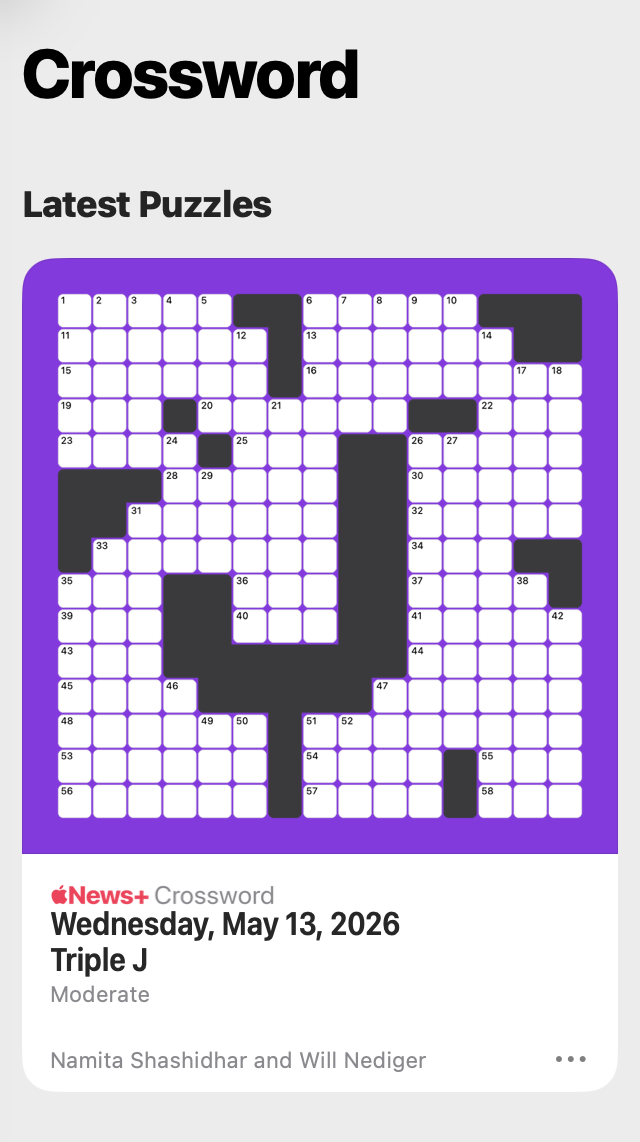
And then lastly in this is follow out, I guess. I don't know. Um, a couple people sent us this. There'll be a screenshot in the show notes. Uh Apple News Plus has Puzzles each day? And I'm not a big like crossword guy. Are you a cross are you like a word puzzle person? No. Nah, nah, nah. Nah, but but but hold on. And I'm not joking. Uh and I kinda wanna wanna hear from you and the listeners. So I've been thinking of of about trying to go on the wheel of fortune in Italy on TV.
Yes. So I've been watching the Wheel of So the Wheel of Fortune was really popular when I was a kid, like uh thirty years ago. came back uh we used to have this historic host um that passed away uh about a decade ago. Okay. And the format was like frozen in time forever. The Wheel of Fortune came back last year on Channel Five in Italy and it quickly became the most watched uh quiz show at that time slot, uh right after dinner.
And I've been watching the the new version of the show religiously every day with Sylvia. And I think I've been getting better. But obviously like playing from home is very different from playing in, you know, in the studio. Mm-hmm. But I've actually been thinking about it because like there's so many times that I get upset at people not knowing the answers or just not even strategizing the game well enough. And I don't know, I feel like I could do a decent enough job at it.
And that's the only word puzzle or collection of word puzzles that I play regularly. It's the wheel of fortune. And Sylvia keeps pushing me like, Yeah, should you should go, you should go. If you win something, we can, you know Could be could be great for the mortgage that we have. So I don't know. I don't know. I've been thinking about it. Um I think you should do it. Uh I think that's awesome. Um
I I I think I'm with you. I'm I'm not a word puzzle player, but if I were to be or like what I what I'm good at is like wheel of fortune like stuff. Apparently when I was a little kid, my parents have told me that I was like obsessed with it when I was like a toddler, like young kid. And again, a dinner time TV show here in America, right? And I would like Rush to eat dinner and then want to go watch Wheel, which apparently is what I called it. And um it's fantastic. Anyways.
Bunch of people sent sent us this in. Um on Wednesday, May thirteenth, the name of the Apple News Plus crossword was Triple J. Which is concerning. Very concerning. Yes, the the triple J is our replacement in case uh we die and they take over the show. Why is why is this happening? They sometimes remind us of that in a creepy way. Hmm, I don't like that. Is there is there some form of collusion going on here? Um could be. Could be. Hmm.
¶ Fitbod: Personalized Fitness Plans
This episode of Connected is brought to you by FitBod. When you want to change your fitness level, it can be hard to know where to start. That's why I'm pleased to let you know that FitBod is an easy and affordable way to build a fitness plan that's just for you. Everyone's fitness path is different, which is why Fitbod uses real data to make sure that they're customizing things to suit you. Adapting as you improve, so each workout will be challenging, pushing you to make the progress you want.
Superior results are achieved when a workout program is tailored to your unique body, experience, environment, and goals, which are all stored in your Fitbod gym profile. What's cool about this is you can update this over time. The summer's coming, may have a bunch of travel ahead of you, and you may not be at your home gym or your regular gym and you're at a hotel or an Airbnb, and maybe it's a body weight workout only.
You can adjust all of that and Fitbod keeps up with it. It tracks your recovery even through these changes so you can avoid burnout and keep up your momentum. And all of this builds the best possible workouts by combining AI with exercise science. They've analyzed billions of data points that have been fine-tuned by certified personal trainers. And you can make sure you're doing things correctly thanks to more than a thousand demonstration videos in the app.
The app is really easy to use and comes with a bunch of great features like tracking charts, weekly reports, and sharing cards, so you can let others know what you're up to. And it integrates with your Apple Watch, Wear OS Smartwatch, and apps like Strava, Fitbit, and Apple Health. Personalized training of this Quality, it can be expensive, but Fitbod is just$15.99 a month or$95.99 a year. But you can get 25% off by going to fitbod.me slash connected.
So go now and get your customized fitness plan, Fitbod, F-I-T-B-O-D, fitbod.me slash connected. My thanks to Fitbod for their support of the show and relay.
¶ WWDC Rumors: iOS 27 Overview
So WBC is Oh oh my gosh, it's less than a month away. Oh And so we are deep into rumor season now with um software. You know, the hardware rumor cycle never never ends, right? Like there's always a new shot of an iPhone or a new iPad part, but software tends to It comes in hills and valleys of the And uh this week Mark German released a big report uh outlining what uh he knows about iOS twenty seven.
Coming, of course, at WBC and and releasing this fall. Uh there's a lot of stuff in this report. Um, I kind of wanted to hit on a couple of big things with you and then sort of a smorgasbord at the end. I think
¶ iPhone Camera App Customization
We're gonna get to the Syrian AI stuff'cause that's obviously gonna be the focus. But was actually what was most interesting to me in this report was what German wrote about the camera app on the iPhone. And, you know, we've spoken about this in the past. The the UI and the camera app, it has to do a lot of things, right? And I I don't think they're necessarily doing all those things very well. Like with the liquid glass redesign, like that slider to move in between modes is kind of weird and
There's a lot of power in the camera app, but a lot of it's hidden. And I understand that and that's good to a large degree, right?'Cause like you can just pick up your iPhone, take a picture, and it's gonna look great. But like with so much of their software, Apple struggles, I think, with how do you meet the needs of the everyday user. But also make something that that is good for power users as well.
And the way they are thinking about solving this in the camera app is UI customization, which you and I are both huge fans of. I think our software should should bend to what we want out of it. Um and so a couple of points he he wrote about um the Apple continued to launch with the same default set of tools that it has now. But if you want to, you can edit the user interface. And in my mind, this is sort of like control center. Like there are going to be spots you can change out the tools.
Uh the tools that German lists include uh the flash, exposure, timer, uh resolution. So for like for video, if I want, you know, four K or ten eighty P or different frame rates or whatever. And you'll be able to put these things where they're more immediately accessible to you. So if the type of work you do, like it you really are moving between frame rates, right?
Do you remember a long time ago you used to go to the settings app for that? Yes. Remember that the settings should be in the settings app. Remember that movement. Um That didn't hold up. And like if you're trying to shoot something quickly, right? Like and you need a switch frame rate. Going to the settings app stinks. You may you may actually miss the shot because you're like digging around in settings. They've moved a lot of that stuff into the camera app itself, but you're still kind of
toggling through things. Um this is really interesting to me. Do you think this is a a reasonable approach to make the camera app more useful to more people? I think so, and I'm all in favor of letting users customize a tool, uh especially if it can be both a simple tool for just taking quick photos and videos, but also professional tools for users who wanna have more controls.
Uh so I think the camera app is an ideal candidate for all of this, but As soon as I saw this, my brain just fixated on one idea and one story that we covered previously on the show, which is uh the Hallied designer Sebastian DeWitt now working at Apple and the lawsuit be between the mm so and and wasn't wasn't the The the news report at the time didn't it mention that Apple tried to acquire Halite as well?
Or maybe they considered and then they ended up they considered and then they ended up hiring the designer. So I don't know. I I guess, you know, good timing, um, for sure. You they definitely have a person that knows how to design a flexible camera UI now. uh amongst other things. Sebastian is a great designer. Um but yeah, uh that's the first thing I thought of. Yeah. It was like, ah, yeah, okay. Um that being said,
I kinda love the idea. And uh uh App uh we've been seeing Apple dip their toes into UI not not just like UI customization, sure that we have wallpapers, uh widgets, uh themed icons. But we've seen Apple go beyond that for the past few years when they started Uh wasn't it iPad OS 16, the cursed release with Stage Manager? But if you forget about Stage Manager, it was also the release when they brought
customizable toolbars to iPad from the Mac. And we still have that feature. It's not as flexible as it is on the Mac, but We have a precedent for Apple letting you actually customize the UI of apps with a system uh level control. Um, I actually wonder if this could be uh something that you can do in the camera app, but it's also something that is uh an API for developers, like a proper
liquid glass API for customizing controls. Maybe. I don't know. Uh I think it's a good idea. They should do it. The camera app has gotten so confusing uh over the years. Um and and it's the kind of app that has two very different audiences. Yeah. The people who just wanna get in and out, take a picture and be done with it, and the professionals that spend actual hours staring at the camera UI.
The only way out is to not make a decision for people, but to let the people make a decision themselves. And that means customization. So yeah, thumbs up.
¶ System-Wide UI Personalization Future
Yeah, and the the move here for Apple is not to like have a separate camera app for pros. I I don't think that's the way to go here. And I do agree with you. It would be great to get to make this something more accessible to developers. Like you mentioned the iPad, uh iPad OS getting
toolbars that you could rearrange. The Mac has had that forever, uh since like since the OS ten days. And it's really great. And like it's actually was actually funny. I was recently on my wife's MacBook Air Um helping her with something in her email app. And I realized like and I I use Mime Stream and she uses mail, but even that aside, I just realized like, oh, your buttons aren't the buttons I would have here. Right. Cause like I I I use my email differently than her.
And it's great because you can just right click and and move things around and it would be really great to for that to come to the iPhone. I think it's not a good thing. I think we've all had those experiences where, oh, the thing on the tab bar is not really what I want. And a lot of developers have solved this, like Tweetbot back in the day and now Ivory and a lot of other apps sort of
indie apps made by people who really care about the platform do offer some of those things, right? Like, oh, I don't need this at the bottom. Uh I want it over here. Or actually don't want to see Uh like RSS readers write like oh I don't want to see the preview image or I do or I want two lines of preview text or four like
Developers offer that sort of thing, but to make it a system level thing where like I could in Apple Mail on the iPhone be like, you know what, actually I don't want this button here. I want something else. Um, that would be awesome. I don't know if we're gonna get it this year. I don't think we are, but if this is successful and like people use it and are happy with it, maybe that's a signal to Apple that we should have more.
¶ Siri Visual Intelligence Shift
Yeah. I agree. The camera report also it it like has sparked uh a hot take in me that may end up being a flexi at some point. Okay. Another thing coming inside the camera UI is Siri mode, so a way to get to visual intelligence. I think the camera control is going to go away. I agree with that. It's not maybe not that hot of a take. It they've already dialed back. Now if you set up a new phone, all like the fancy swipey stuff is turned off by default. Yep.
Visual intelligence, like I I think maybe I'm wrong, but I think the only way to get to visual intelligence is camera control. Is that right? But that is correct. Maybe maybe there's a maybe there's a control center. There is a control center control. Visual. Yeah, you can yeah there's a control center toggle, which means you can do action button and all those things. Yeah. And m you know, maybe that's uh
Maybe moving it I mean moving in here is clearly a part of the bigger play with Siri and the Gemini models and everything. But it just it like sparked in me, I was like, Oh Visual intelligence is really tied to the camera control. That c I don't think has been the success Apple wanted it to be. Maybe this is step one in moving to a future without
¶ iOS 27 Siri Interface Redesign
Okay, you wanna walk us through'cause uh the Siri stuff. There's a lot of detail in here about like the UI that Siri could take, which I think is really fascinating. Yeah, so the report uh essentially mentions something that we've been hearing for some time. Um I can tell you, Steven, uh I have also privately heard that this is the UI from a you know, a source, we'll say we'll we'll put it like that. And uh the idea being that Siri comes up from the Dynamic Island this year in IUS twenty seven.
So uh when you activate Siri, you press the site button, or you invoke um you use the invocation phrase, uh a glowing Siri UI appears as a special type of UI uh in and around the dynamic icon. Um that allows you to ask questions and uh obviously uh you know the report says you can g you can choose whether you want to speak or you wanna talk.
Now the idea is that you can also um w uh, this is the part that I think is very clever. Th it sounds like they're gonna use the dynamic island um not just as a container for the Siri interface, but also as a new gesture. that allows you to invoke Siri with touch. By swiping down from the dynamic island anywhere you are on iOS 27. And that presumably, when you do that, uh you're gonna default to a type-in experience uh with an interface that says search or ask.
with the search bar that appears when you swipe down from the top center of the screen. And that allows you to type and ask Siri something. And of course, depending on when you're asking, you're gonna get, you know, the the the fancy uh Gemini version that powers Apple intelligence. uh that in theory will allow you to have these rich results. Um uh uh German has described them as this inline mini app card.
Uh essentially I can imagine like thumbnail, fancy thumbnail previews of uh that are themed after you know weather results, web results, calendar events, uh task manager results. Um essentially like if I were to guess, like this is based on widget kit uh UI elements that can now live inside rich results in Siri, triggered from the dynamic island.
And in addition to that, there's gonna be integration with web search. Uh so that's the world knowledge answer engine that's also been rumored for a while.
And uh supposedly Syria will be able to to to be better at dealing with that compared to what it is today in iOS twenty six. And lastly, there's gonna be a standalone Siri app that is gonna be a chat a more traditional chatbot experience where um in theory, again, you will be able to persist some of those conversations and continue some of those conversations.
And you will have, according to the report, this grid view of your previous chats. And you can resume them, you can go in there, you can ask for more information. You know, essentially what you can do with ChatGPT Cloud Gemini, but in a more native Siri fashion. Um This sounds very exciting to me, not just because it's it sounds like Apple maybe finally getting their Siri act together, but also because it seems like it finally unlocks uh the kind of system wide
search that has been missing from the iPhone forever. Uh you never be you've never been able on the iPhone to invoke search. uh outside of the home screen. or the lock screen. If you're using an app, you gotta go back and then search. And it sounds like by using the dynamic island and a news wipe down gesture from the top uh from the top center of the screen, that's gonna be their answer to system-wide Siri presence without using voice or without using a button.
Yeah. And it brings it in line with the iPad and the Mac where you can hit spotlight from anywhere. Right. It it's it's always available to you. Um It it's just so fascinating. I mean, there were reports a couple of years ago that Apple was really against sort of a chat bot style.
feature, but like they were wrong. Like clearly that's what people want. That's what all these companies are doing. And I think having this like be system wide and using the dynamic island as sort of a place for it to live, like, I think that's all Super clever. And you know, I I am curious like what does this look like on the iPad and the Mac?
uh in terms of, you know, sort of is it just gonna be up in the in the menu bar somewhere? Like probably. Um that's where Siri is on the Mac now, right? It's like the one colorful uh menu bar icon that ships from Apple. Yeah. Uh I always drag it out of there. But
It is uh I think this is w gonna be well thought through and uh I hope you're right. I hope they've gotten their their act together. I mean they're they're building this on top of Gemini, so hopefully uh this is gonna work as well as it looks. My main concern Is that Gemini of all the models that we have, Gemini is Apple has picked the worst one at calling external tools.
Gemini is by far the worst model when it comes to uh integrating with external apps. Um both Chat GPT, uh GPT five point five and cloud are much better at tool calling than Gemini. But does that matter on the phone? Like does if you're if you're well It matters in And text and stuff. It doesn't for that, but it does matter if Apple wants to ship the App Intense thing they showed off two years ago. That's fair.
And that makes me very curious to see how they solved that. Like, are we gonna get the the exact same architecture based on app intents? that Apple uh pre announced in twenty twenty four or in the intervening time, uh we're gonna get something else like an MCP bridge on device. Um There is a different architecture. And what a and if that's the case, what happens to the developers that have done the work of supporting app intents for Apple intelligence that never shipped? I don't know.
We'll see. Um, I wouldn't be shocked though to see a scenario where there's gonna be Gemini as the general like chatbot and answering model, but Apple as but also to see Apple build something on the side. to compensate for tool calling and integrating with iOS apps. I don't know. Gemini is not really good at at uh integrating with external tools, but we'll see. Mm.
¶ Other iOS 27 Tweaks and UI Elements
Uh a couple other just sort of uh random things German runs through. Um Safari's start page is gonna be a bit more organized between favorites, bookmarks, reading list, nice browsing history. Read reading list lives on. It d it never dies. The
Uh yeah, that that page is a bit messy. I think particularly on the iPhone, like it's kinda I don't know about you back. I just kinda look at it and don't know what to do. It's like sort of a little overwhelming and to get to history and some other things, you're really like tapping through a bunch of things sometimes, so
I think having this better organized would be good. Um Image Playgrounds is gonna get a redesign and possi this is the interesting part to me. Possibly upgraded models to make images created uh to be more lifelike, which You know, there's a there's this thing a little sidebar.
Uh it has been it has been said like, oh, um, Apple not investing in AI models is actually genius because they're just gonna be able to use somebody else's and if these companies collapse at some point then they can just go in and buy the parts, like, you know.
at at discounted prices. That that wasn't the plan, right? Apple may have backed into that position or been backed into that position, but that wasn't the plan. The plan was to have great stuff from day one and that they weren't able to do it. I feel like image playgrounds is a little bit of the same thing. Like one thing that I like about image playgrounds is that
you can't make lifelike images in it. Now, the images aren't good. Like it's it's a goofy system and like the the the artwork it makes is weird, but very clearly like I'm not making deep fake uh Federico using Windows with image playgrounds. And I don't think they're gonna go that far, but I'm very curious to see how far down the road they go into making these things uh lifelike.
My guess is it'll be doable but through Jim and I and it's gonna be really clear like, oh Apple intelligence didn't make this, this other thing. Yeah. Yeah. And then some uh liquid glass tweaks. What do you think about these? So uh Apple is uh so the the German ins is saying here that um
In iOS 27 Apple, we'll be tweaking the tab bar again across several apps. So this is the tab bar at the bottom of iPhone apps, to combine the search tab with the other tabs. So This was a whole thing last year, uh, if you recall my iOS twenty-six review, or if you recall liquid glass in general, where they split. the search icon in the top bar to be its own standalone entity in the bottom right corner. This was the case in in Apple Music, in uh Photos, in in a bunch of other apps.
uh the were the main tabs and then the search tab separate from those. And it seems like Apple is undoing that. And To uh and I believe this to be true because in iOS 26.5, if I'm not mistaken, Apple is already doing this in the App Store and in the Apple game. Up Uh, I think. Uh where they unified uh the search tab with the other tabs again in twenty six point five. Almost as a test of sorts. I really don't know what to think. I'm sure like
Are we just gonna br you know shuffle these things around? Like this year the the tab is separate. No, this year the the the search tab is unified again. All right, cool, sure. Um I I guess uh Steve Steve Lamay didn't really like the separate search icon. I don't really have an opinion. I guess they must have seen that people get confused by the separate search icon. I don't know.
Maybe. Yeah, it's weird. I so I just have the App Store app and then the Apple store app. Boy, that's a confusing sentence. Just bouncing between them on my phone right now and yeah the app store has it separate. I I I don't know I don't really have a preference either. Like Being separate I think makes more sense. If it is an action. So and this is uh apps, this was more on Android and a lot of iOS apps have adopted now like Todois.
uh I know has this where like there's a big floating plus button that's above the tab bar. It's not really part of it, but like a separate entity. Search doesn't belong there clearly, but I think maybe I prefer search being it all being one bar a little bit. The thing that I am you know, this is not the first time they've they've fiddled with this.
Uh we also had the thing early on in twenty six, like in the news app and others, you would start scrolling and the tab bar would disappear. Like it would move over to the left and then you just have one icon and then it would come back. That is basically gone now, and I'm glad that it's gone. I think that was just that was a bit too much, I think.
Uh German also mentions that there's gonna be a new animation uh for when a user activates the key the on-screen keyboard. A new animation will show the keys sliding up from the bottom of the iPhone's interface. Now How is that different from now? Like right now, Open Safari Tapping the search field at the bottom, the keys do slide up from the bottom of the screen. So I'm guessing the German is saying that there's a new animation? Because right now
There is the keys sliding up from the bottom of the iPhone's interface. Uh uh German makes it sound like a new thing, but we already have this animation. Uh so maybe there's gonna be a new one? Uh unless I don't know there's like uh all the keys, you know, flying separately and then they unify like what are they gonna do here? A new animation for the keyboard coming up. Yeah.
Yeah. And uh ra uh lastly, uh there's gonna be undo and redo controls when customizing the home screen. Uh convenient for people who frequently move around uh icons and widgets. Yes. Uh yes. Very excited about this. Yeah, uh customizing the iPhone home screen and getting the layout just right continues to be something that is too difficult for no apparent reason for end users. Mm-hmm. So so many times I found myself exactly in that scenario where I drag something
Uh you you drag of widgets and then for some reason five icons move. Yeah. And then you're like, no, go back. And so having undo and redo there it sounds Nice. You know what really needs it is control center. I mean Control center, like rearranging the widgets in control center is like a distilled version of everything bad about the home screen rearrangement thing. It's so easy to blow up your control center, man. Like it is so easy. And uh you bring it there too, Apple.
¶ DockPops: macOS Dock Organization
This episode of Connected is brought to you by Doc Pops. How many apps are in your dock right now? Can you even tell the icons apart anymore? If your doc is a mile long or it's missing half of what you actually use, macOS doesn't have that many ways to help you. Launchpad is gone, and the biggest update Stacks has gotten is custom folder icons. Doc Pops fixes that. It sits right in your dock and works like folders on the iPhone. So you click it and a clean grid of your apps pop up and you're in.
And there's no extra menu bar clutter, no keyboard shortcuts to memorize. It's the app launcher your doc has always been missing. The thing that makes this really useful is you can organize your apps into groups. So you may have one for your office suite, one for creative tools, one for games, one for all your shortcuts. It's really easy to very quickly get to what you need. You can swipe between them like pages or use the built-in shortcuts integration to give each one its own doc icon.
Doc Pops is a one-time purchase of$9.99 in the Mac App Store. There are no subscriptions, and you can try the free tier before you buy to see if it clicks for you. And it's not just apps, it also handles files and folders. You can add these things and shortcut droplets alongside your app. So you can use a pop as a project launcher with all the files and apps you need for a specific workflow. And it works with side docs as well. Left dock, right dock, bottom dock. It handles them all.
Head on over to docpops.com slash connected to get thirty percent off the doc pops premium upgrade. That link is in the show notes, docpops.com slash connected for thirty percent off. Our thanks to Doc Pops for their support of the show and all of Relay.
¶ Google Books and AI Integration
Big news, Federico. Google Books. Горбок! If you say it fast enough it doesn't sound like a word. Uh so Google Google IO is next week, uh, but uh the Android show, which is put on by Google uh hosted by Dieter Boone, fun to see him on video again. Mm-hmm. He used to be at the verge. Uh they previewed a bunch of announcements concerning Android, Gemini, uh, and Google Books. That's where we're gonna kind of focus today. I assume we're gonna talk about I.O. in the coming weeks. Yeah.
Um so some some basics uh of this. So we've had Chromebooks for a long time. Do you remember back in the day that getting A cr you had to be like I don't think it was a lottery, but like not everyone could get the first Chromebook. Maybe you had apply I forget how I don't remember that. Um, a friend of mine locally got one, like the very first one, and it was it was a a wild time. Um But these are not replacing Chromebooks. They are sort of
above Chromebooks, I think in terms of of features and and price point certainly. So they are not running Chrome OS. And they're not running Android. They are running a yet unnamed operating system. Now the code name for this has been aluminum OS. Yeah. Oh, I think you mean aluminum. And uh I Google was like, yeah, that's that's the code name. You know, we'll have a a a name, we get closer to it.
You know, nothing really says screams confidence like not having a name for the thing you're announcing, but sure. That's it. Classic Google, I think. So these are notebooks. Uh they're built by a bunch of different companies. So they mentioned like uh Acer, Asus, Dell, Lenovo, HP. They're gonna be building these things. And It will certainly be a lot like Chrome OS and will certainly they will run Android apps and you can cast Android apps to them.
Yeah. Which is really, I think, pretty pretty cool. And you can access your phone files from the Google book as well. Yeah. Really, really cool stuff. for granite on the sort of the Apple side of things, but something that a lot of other ecosystems just don't they don't have all that connective tissue.
I'm gonna read a quote Google Books are the first laptops designed from the ground up for Gemini intelligence to deliver personal and proactive help when and where you need it. But most importantly, Federico. Forget Jim and I for a second. These things are gonna have call what's called the glow bar. The global. I'm very excited about this. The Chromebook Pixel. I'll have a link to the show notes uh to an article about it. Uh perhaps
one of the coolest industrial designs for a laptop of all time. And it had on the lid, it was a couple inches across, but very thin, this little light bar. It had blue, red, yellow, green, sort of the googly colors. And It was, as far as I know, it was just like on this and maybe like one other product. It did not take off in terms of an industrial design.
you know, sort of piece for Google, but these machines will have it. You think, my gosh, what will it do? Quoting from Ars Technica, Google says the bar on the Google Books is both, quote, functional and beautiful, but has not explained the functionality yet. I don't know what it does. But um uh the Gemini stuff is is baked right in. And there's some pretty cool stuff here. Do you wanna walk us through magic pointer?'Cause I think in some ways that's the most compelling.
I think so the idea behind the magic pointer is that you shake the cursor and uh that instantly triggers uh the Gemini intelligence, which is Seems to be their new name for Gemini integration in the operating system, kind of like Apple Intelligence, but this one is called Gemini Intelligence. Um, the idea being that you shake the cursor and the Gemini comes up and allows you to ask or do things based on what's around the cursor.
uh or the pointer, as they call it. Uh which I think is a really I think it's an interesting idea for AI integration on desktop to almost offer like this proactive assistance uh that is contextual to what's happening on screen, right? I think it's a uh like you you can for example select uh some text or
or compare like uh two images or two tabs or or um like you can select two images for example. If you're browsing the web you can select a bunch of them and then you can say uh combine these two into a uh like a poster.
or you can, you know, select a song and you can say you can uh find these on Spotify. Um just the idea of turning Because you don't have like uh it it seems to be it seems to me that it's the equivalent to the circle to draw that they have on touch screens for Gemini right now, but here they're shaking the pointer instead, which is
I think a fun, fun idea. Um the other feature that they that they have that they also showed off during the presentation, uh create my widget. So they're bringing they're they're making a bet on what they call generative UI, which is the idea of instead of pre-building dozens of predefined widgets, you can just create your own widget using AI.
Uh so for example you can say uh I wanna make a custom widget for my upcoming trip to WWDC and it it it's gotta show my uh Flight information, the directions for the hotel, and my calendar appointments for I don't know, briefings for the week.
And Gemini will pull in those data points from Gmail, Google Calendar, and I don't know, Google Tasks. So if you're using that, it's not clear to me if it can pull from third party apps or not. Uh, but it will create a custom widget that does not exist by default on the system. Uh that's based on the data that you requested. Which I think
It's an interesting idea and again it's a it's a it's a different type of customization, right? Uh what we we discussed before with Apple is more like traditional customization. Whereas this is uh oh gosh, generative customization. Th the idea being that if a piece of UI does not exist, you can sort of will it into existence with Gemini on Android or aluminium OS, whatever. Mm-hmm.
Interesting idea. Uh it all comes down to how rigid the system is. Like are all these widgets gonna look the same because they're all based on the same template? Are they gonna be limited just to data coming in from Google Apps? Can you say, I wanna make a widget that shows me my to-doist task? for today and also the albums that I'm listening to on Spotify this week. Like can you combine third party data like that in in a in a generative widget?
We'll see. They have the right ideas, but I wanna see Google commit to this long term because Google has many ideas. And they never stick to most of them. Yeah. So interesting, but we'll see. Which is uh an inc you can you can summarize any Google event with interesting, but we'll see. And and it works every single time. Yeah. Yeah, it's it's a spot on. And that's one thing if it's like a
sort of a on-the-side web service that not many people use. But if you go buy a twelve hundred dollar laptop and you expect these things to work for the long haul. And I don't know if it's twelve hundred bucks, like just picking a number. I think that's what I think that's about what the Chromeboxel was. Um you you are making, or at least should be making, some sort of
uh agreement with your users that this stuff is gonna be around and supported. And like Google has just burned so much of that goodwill, I think, over the years. I just uh I don't know. It's hard to believe, especially with around I.O. and the announcements they've made at IO in the past to Believe that this stuff is gonna surface or stick around. That's why WBC a couple years ago stands out so much because.
Apple historically, generally, delivers what they say they're gonna deliver. And then they made a bunch of promises about Apple intelligence that still haven't come true and some may never come true. And that's why that event stands out. Um but yeah, when you bundle a bunch of it into a laptop, you're like That's a that's a bit of a commitment that feels different to me than just, hey, there's this web tool we're building. Uh
Man, okay. That's um I think it's fascinating. I think Google like think about like the Android ecosystem. They are sort of stranded without a personal computer to a degree, right? Like again, we enjoy these things on the Mac. And a lot of Google stuff shows up on the web, but if they can integrate this really well and like Android apps are just there and they work and This is very interesting, but the the proof is gonna be year one, two, three down the road, I think.
Also, what does the Globar do? I mean, come on. You gotta tell us. They look cool though. They look very nice. It looks very nice.
¶ Mercury Weather: Thoughtful Forecasts
This episode of Connected is brought to you by Mercury Weather. Mercury Weather is a thoughtfully designed weather app that shows you all the essential weather details at a glance. It has a gorgeous colorful interface that dynamically adapts to the weather conditions. So if it's a nice sunny day like it is today for me, I get a nice warm orange palette. But if it's cold and and gross outside, you're gonna get icy tones or a deep blue on a rainy night.
Mercury uses a glanceable chart layout to present the hourly and daily forecasts in a way that feels intuitive right away. And there's also a cool feature for frequent travelers. Mercury's trip forecast feature automatically shows the weather at your destination right in your daily forecast timeline. So you can always see the weather for where you will be, not just where you are.
And that is awesome. Summer's coming up. Travel is planned. And the trip forecast feature makes it really easy to see what's going on. A lot of weather apps you're doing a lot of mode switching to get between locations. And they've really solved that in a unique and clever way.
And when the weather gets serious, Mercury offers storm and hurricane tracking with maps, live positions, forecast paths, cones, and intensity. Plus widgets so you can keep tabs on a specific storm or the closest one right from your home screen. Mercury Weather's gorgeous interface makes it a delight to check the weather every day, even on gray and rainy days. And the app's business model is simple. No ads and no selling of user data.
Mercury is available on the iPhone, iPad, Apple Watch, and Mac. You can download it and use the standard features for free, or upgrade to Mercury Premium to unlock all features. So go to mercuryweather dot com slash connected to download it now. Use that link, it's in the show notes to let them know you came from connected. That's MercuryWeather.app slash connected. My thanks to Mercury Weather for the support of the show and all of Relay.
¶ Mike's Predictions Game Introduction
Okay, Mike. This is just for Mike Curley. Don't listen past here. Okay? Okay, Mike? Skip the chapter. Skip the chapter. I'm making that the chapter name. Uh, Mike, comma skip this chapter. All right, what are we doing? Alright, so uh you came up with this or did I? I don't remember. I did, but I think y'all did this for me. But I don't think we've graded them. Oh yeah.
Oh yeah. Okay, so we are gonna be doing something. I guess we're gonna round rob in this. Um uh things we're gonna we're gonna predict things that we think Mike will do within the next 12 months. The winner will get something. Well to be determined. To be determined, TBD, we picked each four things that we believe Michael will do. over the course of the next twelve months, starting from today. Yes. So we will we will grade this on a future episode of Connected.
as close to May fourteenth. You know, no earlier than three hundred and sixty five days from now. So Yeah, okay.
¶ Mike's Claude-Built Website Prediction
Okay, I th so Mike has been busy, as we know, making websites. Yes. For the past uh year or so. Uh he's got the Cortex brand website, then he became a blogger with the enthusiast. So he's be he's been launching websites and and I think Mike will soon get uh an itch to either launch another website or redesign one of his existing websites. And so my prediction is that Mike will launch at least one new website that is a the redesigned and created entirely with Claude.
Mike has become a bit of a Claude user. Mike really likes Claude. Well, I think I got him into Claude because my birthday gift to him was like three months of Claude. Um, and I think that kind of hooked him. And, you know, every once in a while he mentions that he likes using cloud cowork and I think is dabbled with cloud code as well. And I think Mike at some point will go in and we'll have an idea for a new website.
And we'll do it all with Claude, the design, the development, and it will launch the website. for with Claude and that'll be Mike almost saying, Yeah, I guess I'm a w web designer and developer now. But and and I also think Mike, you know I don't know. I I I just feel like this will happen. I'm pretty confident that this will. Okay. Uh ungraded for style, what is the content of this website?
So I was I was debating whether it's gonna be like like a section of the enthusiast. Like like I could see Mike put together like some kind of gallery of things he liked. And things he recommends. with a fancy grid layout or something like that. Yeah. Like he wants to put together a a gallery of products or people or websites that he likes and wants to like a like a like a fancy blog role, if you think about it. He should have that. It's like yeah. Oh yeah, yeah, we've tainted the idea now.
Yeah, yeah. Um I don't know. Or or um he comes up with a with a new venture of his own. Could be. Could be, you know, he's he's an entrepreneur. He's got the entrepreneurial spirit. Yeah. He builds a website to prepare for Wheel of Fortune. I'm obsessed with this idea of you going a Wheel of Fortune now. I'm really thinking about I'm really thinking about it. I was I would I would I would watch that. I would s I would do what I would move heaven and earth to view that video.
Okay, okay, all right, we'll see. Hmm. Stephen, what do you what do you have?
¶ Mike's Folding iPhone and Device Damage
Uh Mike will buy a folding iPhone, but not use it as his daily. Oh okay, so it's kinda similar to what I have in my number three, which makes me wonder if I gotta change it. I can I can change mine because I think you're right. My prediction was gonna be Mike will purchase both an iPhone folder and an iPhone eighteen pro. But I think that's also you're also kind of implying that. Yeah. Um, so I think I'll do something else.
I mean this is uh an informed decision because he bought an iPhone Air and a seventeen pro. The seventeen pro Yeah, yeah, yeah. It's gonna do that. For sure. The air is his sort of like work phone. He's got social media apps on it. I know'cause I process a lot of his screenshots. That's what he's using uh for like media stuff across forward. So I think I think I think this is it. I just I don't think
Ungraded for style. I don't think he's gonna use the foldable as his daily because of the camera. And he's got a Baby. And he's got a baby, wants to take pictures of the baby. That's right. Yeah. Yeah. Yeah. I changed mine, so uh, we're good. Oh.
¶ Mike to See Oasis Live
Oh this is oh I like this. This Yeah. Okay. Yeah, yeah, yeah. And I'll tell you why. My number two, it's not about technology. My number two, in twenty twenty seven, Mike will see Oasis live.
So there's a rumor that Oasis is gonna take a pause uh this year from live touring. I don't know if you've seen Steven, but the uh I don't know if you know actually that the Oasis 25 live series of concerts, they were filmed Ooh uh for an upcoming documentary shot and put together by the if I'm not mistaken, the director of Peaky Blinders, the TV show. Um there's a movie out. They did a movie to end it. Yeah. Yeah. And What a great series.
Yeah, I remember actually when I went to Wembley to see Oasis with a friend of the show, Jeremy Bird. There were uh signs telling you that, you know, you were basically w uh waiving your rights to be filmed for the upcoming documentary. Yeah. Um and so uh they announced last week that the documentary is unfortunate date.
All right. But the documentary is coming out on September 11th. Um and it's gonna premiere in cinemas worldwide. It's gonna be available in IMAX as well. And it'll come later to Disney Plus. So Disney got the right. for the Oasis documentary. And this is a big deal, not just because it's like a bunch of live footage.
with exclusive access to backstage and the stage itself, but it'll feature Exclusive footage of the Gallagher brothers together leading up to their reunion, including their first joint interview in 25 years. Right.'Cause they don't'cause they don't like each other. They well they they got they split in two thousand and nine. They always had this like a rivalry, like sibling rivalry thing going on.
uh throughout the nineties, throughout the early two thousands and then they got into this huge fight in uh just before a concert in Paris. In two thousand and nine, supposedly Liam threw a guitar at Noel. Jeez. So it was was a whole thing. They split and they stayed Split and they went on to have solo careers until they reunited in 2025, and it was a massive deal for the fans. They did the Li Oasis Live 25 series of concerts worldwide.
then it seems like they're taking a bit of a break right now, but they still like each other. There's gonna be the documentary and the rumors are saying that at the end of the documentary There's g in like in the credits or something, there's gonna be the official announcement for Oasis Live 27. And I think at that point Mike will wanna go to see Oasis in twenty twenty-seven. So seems like one of those things like you're not promised another tour.
Right. Like this could be I mean, any any Oasis show could be the last Oasis show. Yes, yes. And Uh obviously Mike couldn't come in twenty five. Uh like Sophia was very little and I understand why he didn't feel like he was able to travel or go to a concert. But I think in twenty twenty seven, Sophia would be Two? Yeah, yes. And um and I think Mike will try whatever possible to get tickets. So to grade this in May 2027, uh either there's gonna be dates.
in that Mike has already gone to or Mike has purchased a ticket for a show after May twenty seven. Okay. Okay. Yeah, that that totally works for me. That's really good. Yeah. I'm gonna say that Mike damages or breaks another device. Oh yeah, for sure. You know. This may happen like in twenty twenty six even. Could happen right now. I mean, Yeah, yeah. He may come back next week and say I I drop my my phone again. All right. Yeah.
He could. He uh he damaged his seventeen pro. You know, he had that deep scratch on his phone that he got mad at Apple Care about. Yeah. Guy's a parent now. These things happen. Yeah, yeah. Okay, my spicy one. Yes. Okay. Yes. In twenty twenty seven, Mike will drop the Sonos ecosystem.
¶ Mike's Sonos and Tattoo Predictions
So Mike has said many, many times how much he loves Sonos. He loves Sonos and is into I I have seen Mike's home. I have been in Mike's home. Dude's got Sonos everywhere. Okay. Huge sonos. He's got the Sonos thing going on in every single room. And he showed me his control center with the airplay integration. It's got a long list of Sonos devices. The guy loves his Sonos, okay? Yeah. But, but. I think a couple of things may happen. Either Sonos would
Well, officially I don't wanna say cease to exist, but like maybe they'll be acquired by somebody, or maybe they'll do some other weird thing. Um Or the more likely scenario, app Mike will fall in love with whatever Apple has in store for the new home pod line. and he will make an informed decision to abandon the Sornos ecosystem and embrace the home pod lifestyle instead.
Now, the big question mark here for me is the soundbar. Because I think that I I know that Mike's loves Mike loves the soundbar. I don't think Apple will make a soundbar. But I think we will know if this is right, if Mike will say in t within the next twelve months, I think I'm going to progressively abandon the Sonos ecosystem for something else. I think it's gonna be the home pod, especially if they come up with one that has a screen.
I could also see a scenario in which Mike decides to embrace, because of AI, maybe the Google ecosystem with the new Google speakers that they have. But I think There's a chance that it will say, Ah, I think I've decided that I gotta move away from Sonos onto something else and it's gonna be a process and we're gonna replace some of this. I don't know, but I think it I I think this will happen. Uh it's very interesting. I mean th they certainly have had had their issues, right? And Sona's like
Yeah. Um you know, I've got a bunch of Sono stuff, not nearly as much as he does. Um not necessarily in love with all of it, but This is this would be this would be huge. I'm gonna say Mike does not get another tattoo. He's talked about it for a long time, but he's not He's just not gonna do it. He's gonna stick with what he has. Unlike gentlemen of culture like you and I. Ha ha ha. I will get a tattoo for sure. Yep. Mm not you think
He's talked about the Scott Pilgrim one for literally years. I just don't think he's gonna get around to it. I just don't uh maybe eventually, but I don't think it's gonna be in the next twelve months. Hm. Interesting. Okay. My number four, my final one.
¶ Mike's Steam Machine and MacBook Pro
Mike will buy a STEAM machine. Yes, I um this I wish I thought of this. He is definitely gonna do this. It's gonna be expensive and he's gonna have some sadness about it, but he's definitely buying a steam machine. You're gonna get He's uh he's he's been I don't know, he's been skeptical. He didn't wa he's he's been waiting for the steam controller. Uh uh I think it will end up purchasing a steam machine and setting it up.
Maybe at home, not at the studio. Maybe at home. Because I think he's ski I think he's skipping. What does he have? An Xbox? And the PlayStation or the Studio? I think so. And he has a switch The switch, I think it's gonna I think it's gonna set up the sea machine at home. to play indie games on the TV, maybe very slowly get Sophia into video games and I mean indie games, colorful, simple, pixel art style indie games are perfect for that.
I think it'll bu uh it'll buy a steam machine, I'm convinced. Yeah. A more to uh f for for style, um I'm gonna say that it's gonna set it up at home. This is really good. All right, my final one is that Mike will buy a touch-based MacBook Pro. Now you may think, well, Steven, you already got that. He's talked about it a lot. He has talked about it a lot.
My style points, which we haven't written any of those down, so whatever. Uh, I think he's gonna struggle with the price. I think these things are gonna be pricey. I think they're gonna be spec'd. Like even to get in the doors and be a pretty high spec. I think there may be some there may be some uh wishy washiness here, but I think he's gonna I think you're right. This is absolutely gonna happen. Yeah. I mean that m that Mike Bagarf is like falling apart.
¶ Predictions Recap and Episode Outro
Yep. Yep. So I'm gonna I'm gonna do a recap. Okay. Steven. I said uh number one, Mike will launch at least one new website that he designed and created entirely with Cloud. Number two, in twenty twenty seven, Mike will see Oasis live. Number three, Mike will drop the Sonos ecosystem. And number four, Mike will end up buying a Steam machine. Steven said, number one, Mike will buy a folding phone a folding iPhone.
But he will not use it as his daily. Number two, Mike damages or breaks another device. Number three, Mike will not get another tattoo. And number four, Mike will buy a touch-based MacBook Pro. Think we know our guy. We've done good work here, I think. Well that brings us to the end of the show. Uh if you want to find more about the stuff we spoke about, head on over to the website, relay.fm slash connected slash six oh three. The links, of course, are also in your podcast player.
Couple of links I want to draw special attention to. You can leave us feedback or follow-up. We have this little form on the website. You can fill it out. You don't have to, you know, send us a tweet or anything. It's just, it's all there on the website. Really super easy. Uh drop us a line. Uh it can be anonymous.
You can tell me more cool things to do with home assistant. If you have ideas on what Mike may or may not do, I actually can't do that because he he doesn't know the game was played. So don't don't address that in the feedback. Uh, if you want to join and get connected pro, which is the longer and ad-free version of the show that we do each and every week, uh, you can join. It's just seven bucks a month.
You get that longer ad-free version of the show, but you also get access to the relay members Discord and a bunch of other goodies, including some members-only podcasts. If you want more of Federico, he is the editor in chief of MacStories dot net. Uh y'all have been on a tear the last couple of weeks. Got a bunch of new stuff. Go check it out. Um
You wrote this really fascinating thing about dictation, which you you wrote a sentence in here. Uh, I believe that reliable dictation and text of speech are largely solved problems in the AI industry right now for most languages. Like you put that in there, but I wanna highlight it'cause like that was not true for a long time. Dictation used to really be like computationally expensive and not very good. And I agree with you, it has come such a long way. So Yeah.
Uh go check that stuff out over at Mac Stories. You can find my writing at 512pixels.net. You know, just uh write about stuff. Just just we're we're both we're we're we're a pair of not only chairmen, but also pro blog. Here this week. That is true. Mike will be back next week, but you can find him across a bunch of shows here at Relay and his blog, theenthusiast.net. Like to thank our sponsors this week, Fitbod, Doc Pops, and Mercury Weather. Until next time, Federico, say goodbye. Arrivederci.