Metacast v1.24: Global speed control, audio wonkiness
Set the default speed for all podcasts, progress bar in the mini-player and less wonkiness in the audio engine.


Table of Contents
Wait, what about v1.23?
If you follow our progress closely, you'd notice that we haven't published a blog post for v1.23. That is because it only had some under the hood improvements, so we skipped that beat in the blog.
Now... on to v1.24!
Global speed control
Many users have asked us to be able to set the default playback speed, so they don't have to tweak the speed for every single episode.
You asked. We delivered.
To set the default speed, simply open the speed setting in the player and toggle the "Play all episodes at..." control at the speed of your liking. That speed will now be the default speed for all episodes you play from that moment on.
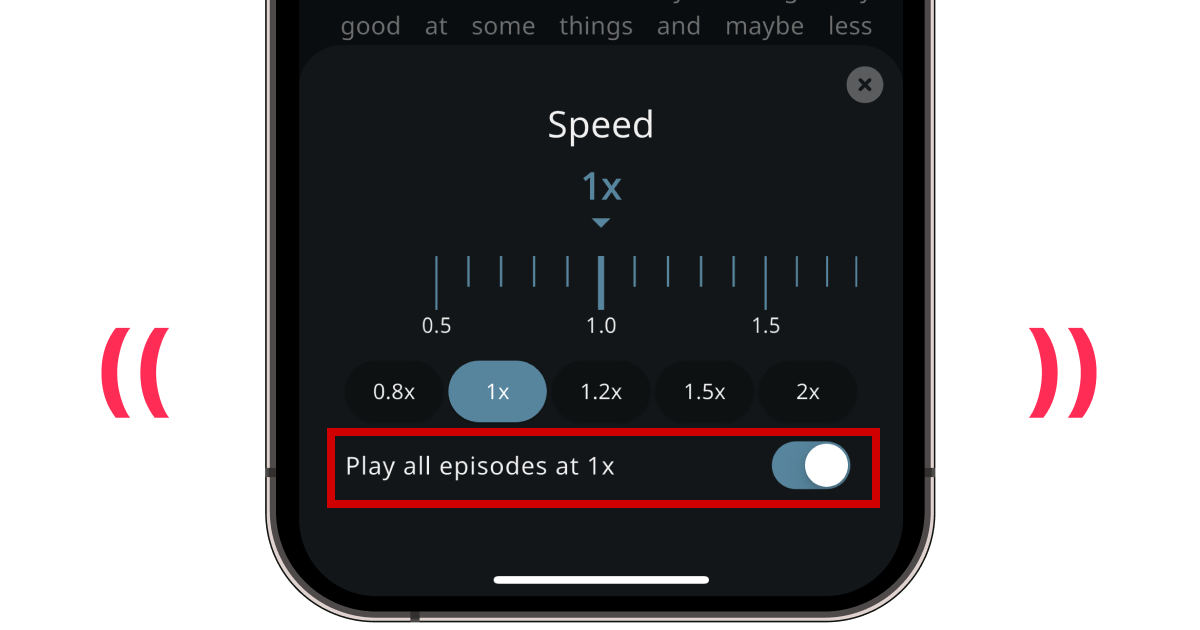
Whenever you set the speed for an episode that is different from the default, Metacast remembers it. When you come back to that particular episode, it'll be playing at the speed you set.
Setting the default speed will not affect episodes that you've started or completed before this feature was released.
Mini-player progress bar
This feature wasn't even on the roadmap, but as we were fixing some issues in the audio player, we thought it'd be nice to show the progress of the episode when the audio player is minimized.
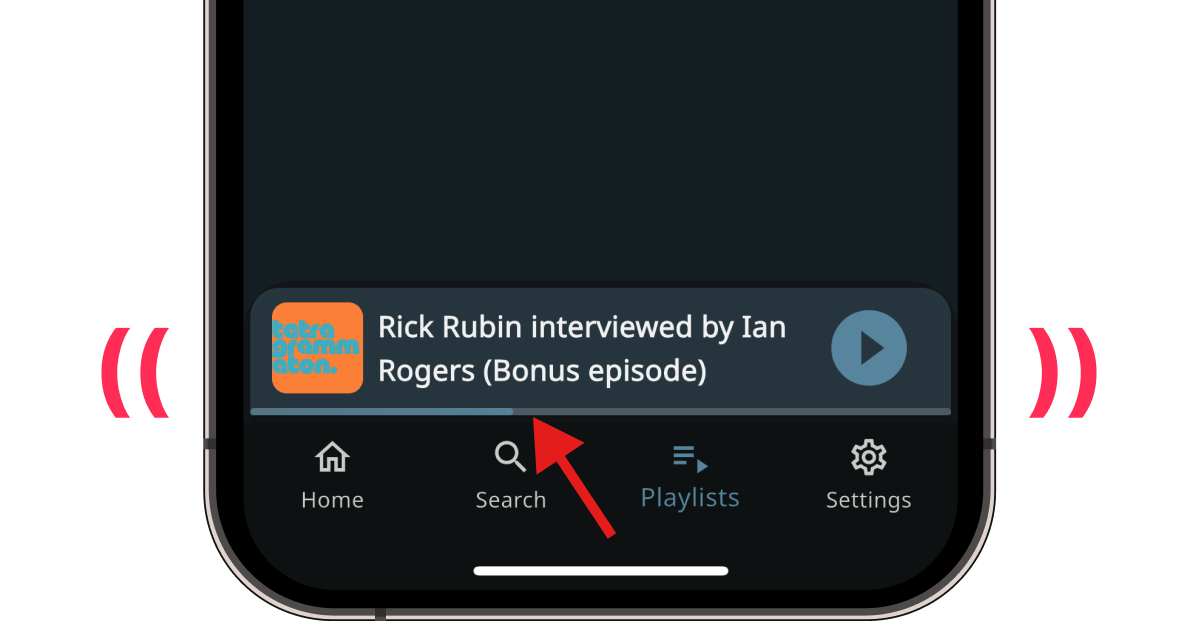
Starting from v1.24, you'll see the thin progress bar underneath the mini-player that gives you an idea of how far along you are in the currently playing episode.
Also available as a podcast
Listen to us chat about this update live on episode 70 – Summer update & Metacast v1.24 of the Metacast: Behind the Scenes podcast.
